Workspace
Your Workspace,
Your Way
A fully customizable workspace with draggable windows, keyboard shortcuts, and layouts that adapt to your workflow. Make PaperPilot truly yours.
Windows:
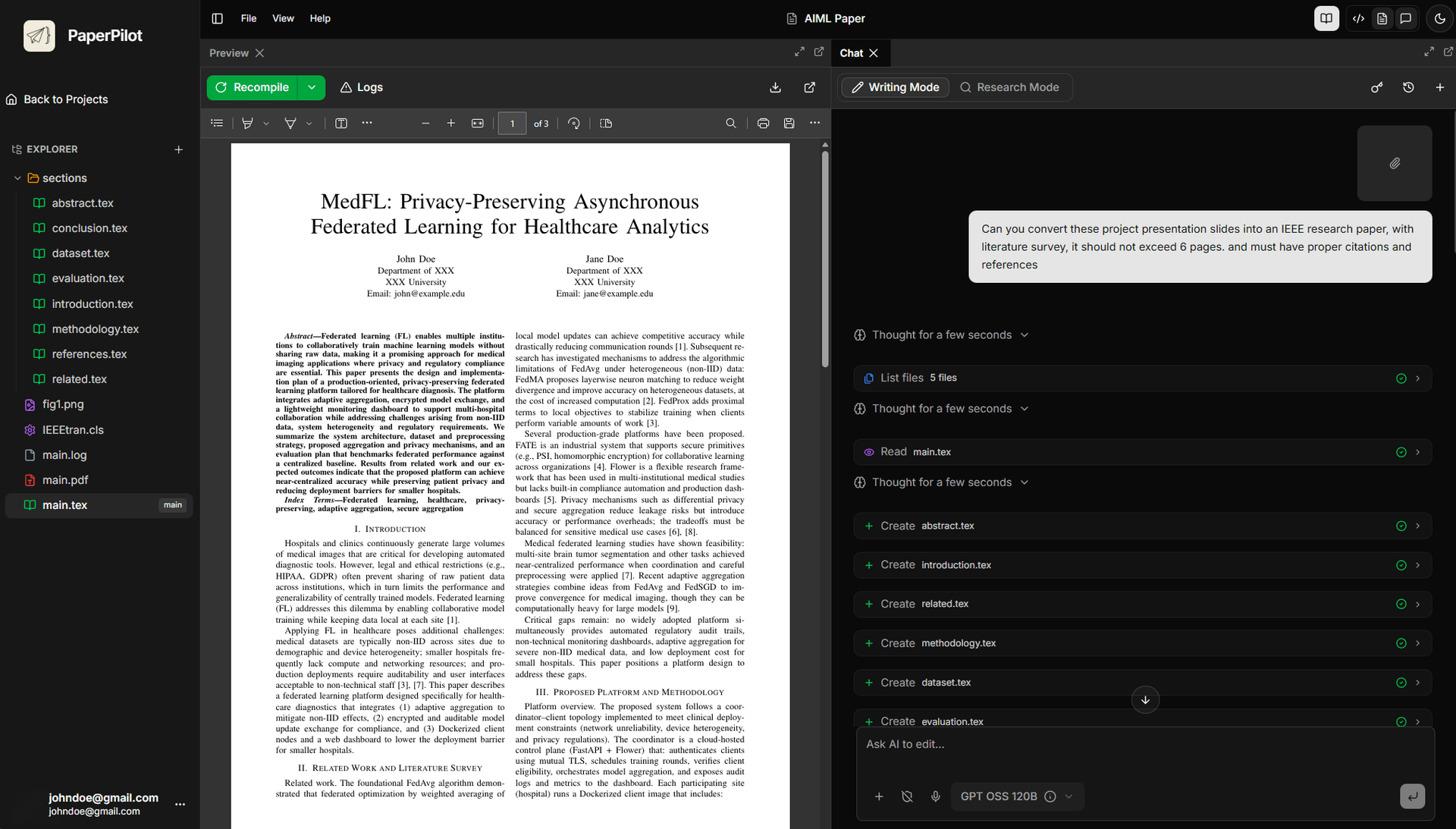
Draggable, Dockable Windows
Arrange your workspace exactly how you want it:
- Drag panels to rearrange your layout on the fly.
- Dock windows side-by-side, stacked, or tabbed.
- Pop out any panel into a separate window.
- Save and restore custom layouts.
Built on DockView for professional-grade window management.
Focus:
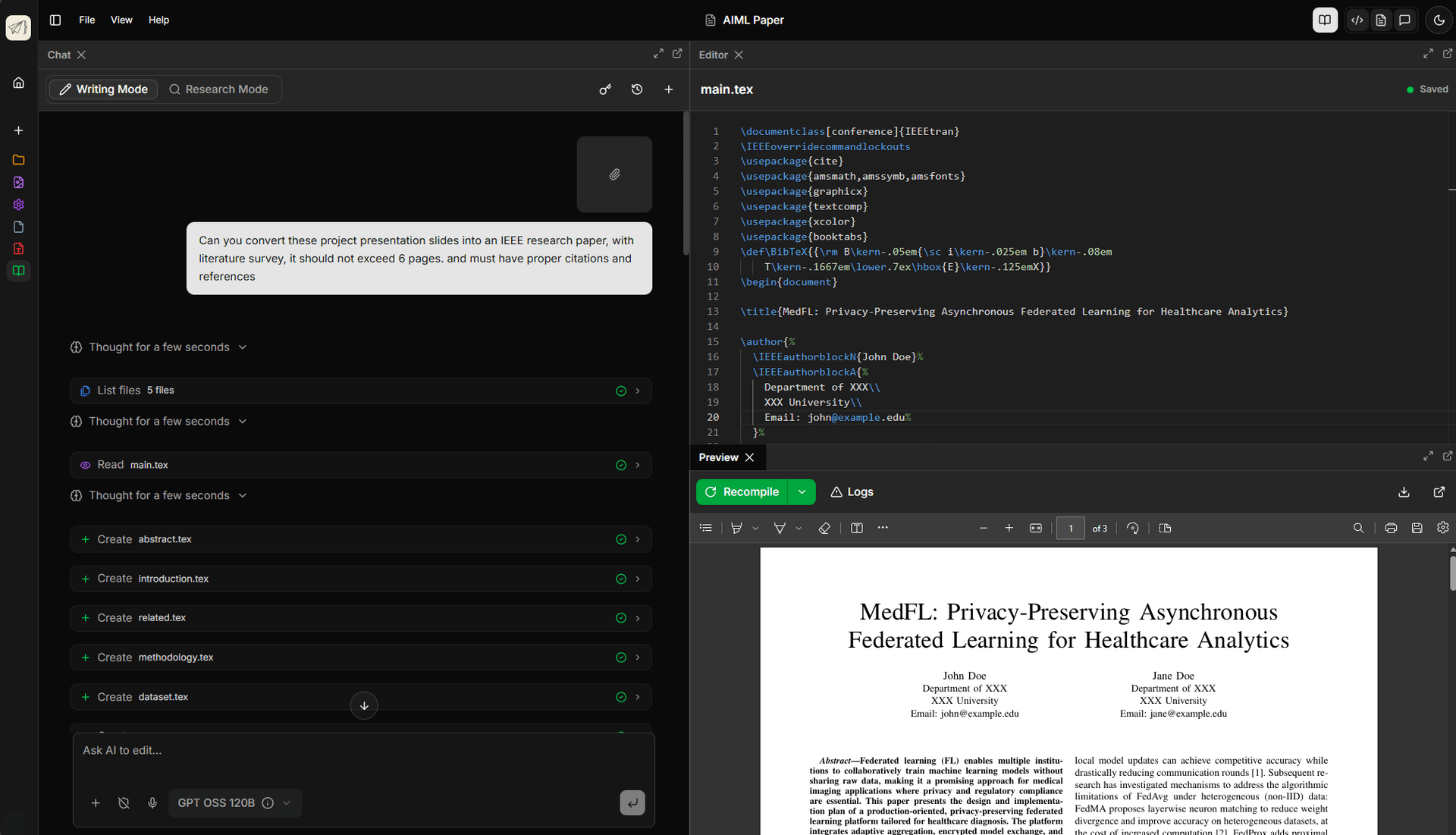
Distraction-Free Full Screen
Maximize any panel for focused work:
- Double-click any panel header to maximize.
- Full-screen PDF view for document review.
- Zen mode for distraction-free writing.
- Quick toggle with keyboard shortcuts.
Focus on what matters. Hide everything else.
Keybindings:
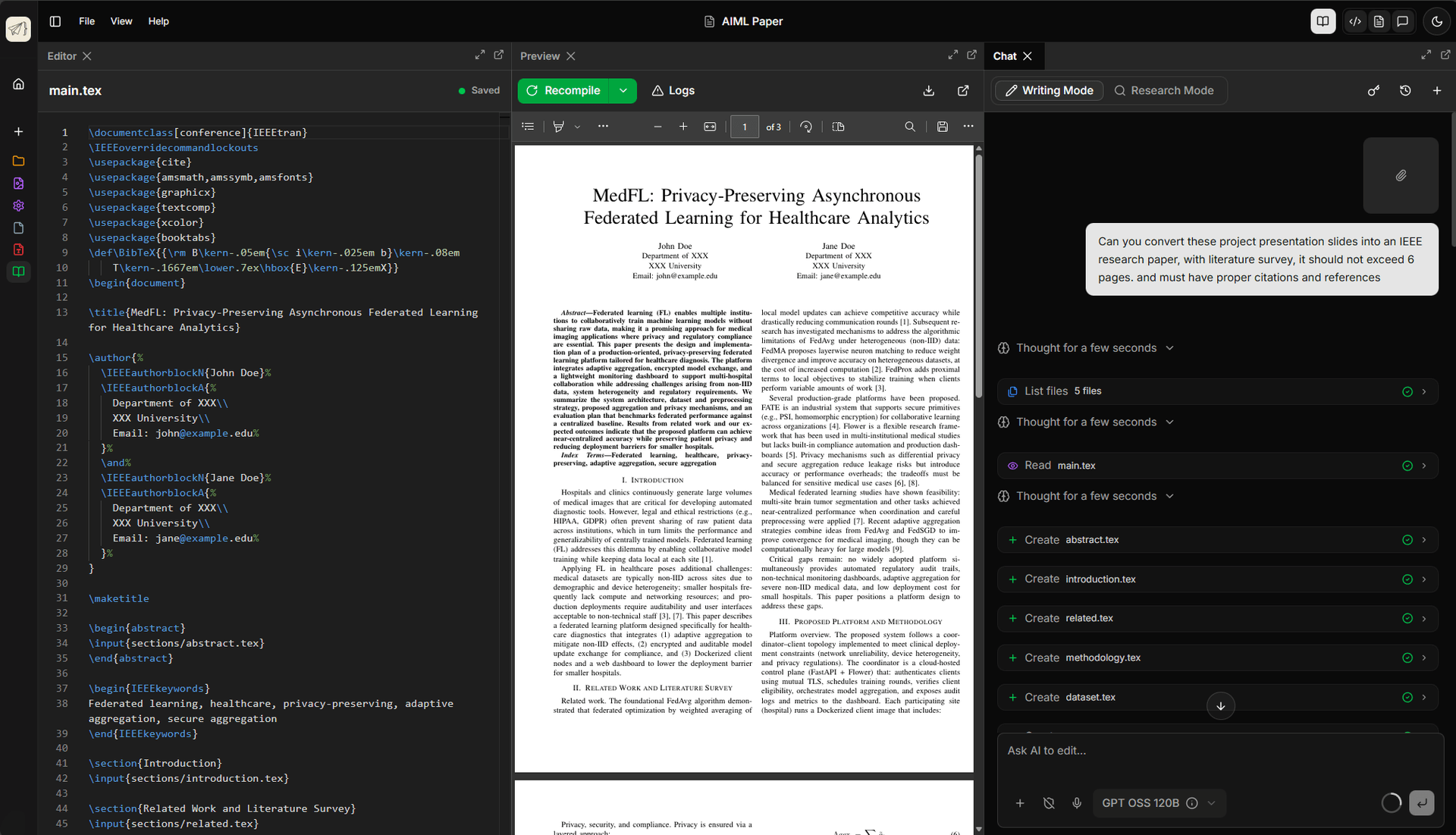
Powerful Keyboard Shortcuts
Navigate and edit at the speed of thought:
- VS Code-style keybindings you already know.
- Customizable shortcuts for all actions.
- Command palette (Ctrl+Shift+P) for quick access.
- Vim mode for power users.
Keep your hands on the keyboard. Work faster.
Layouts:
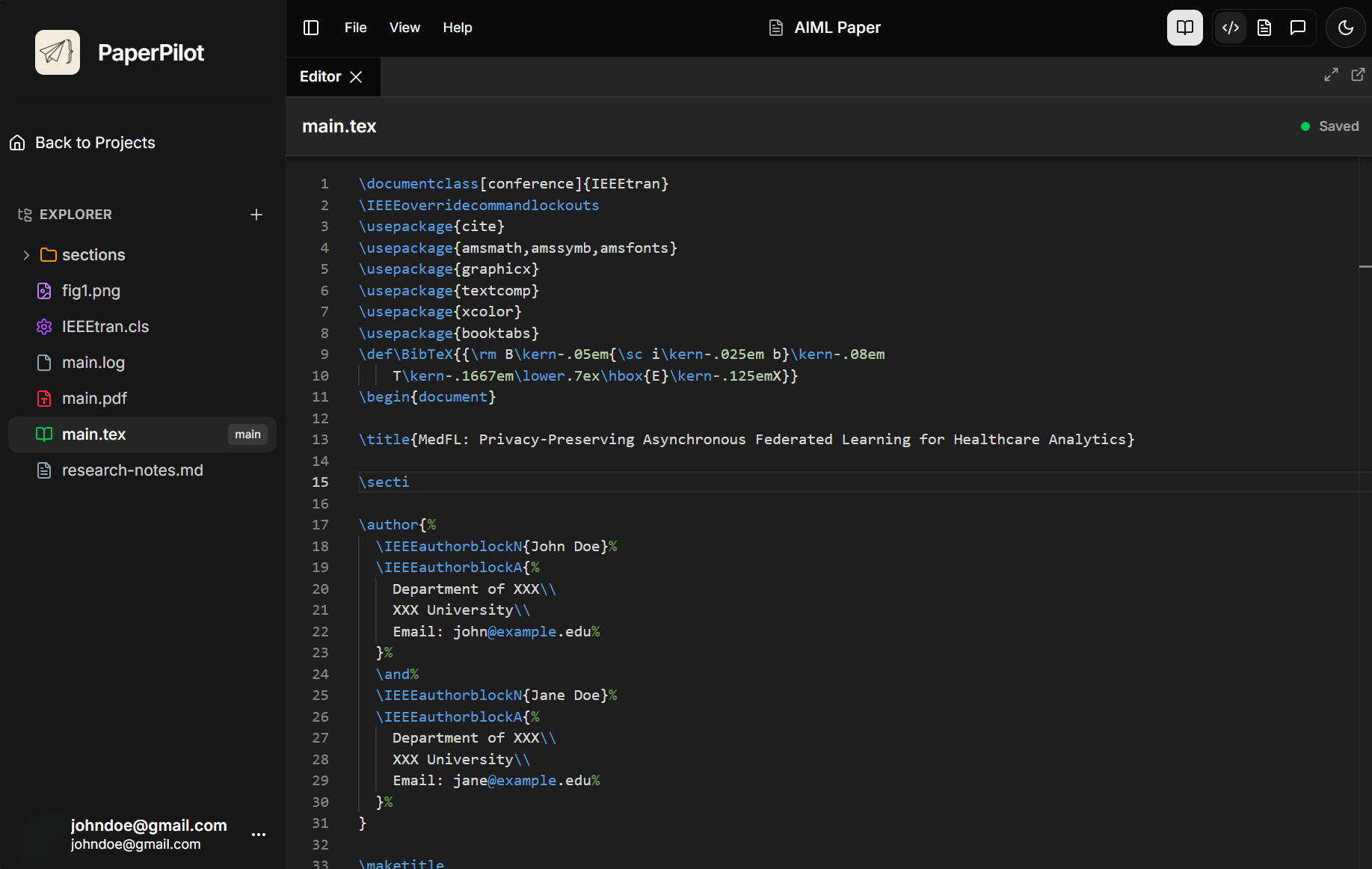
Flexible Panel Layouts
Switch between layouts for different tasks:
- Writing mode: Editor + PDF side-by-side.
- Research mode: PDF + Chat + Notes.
- Review mode: Full-screen PDF with annotations.
- Create and save your own custom layouts.
Adapt your workspace to your current task.